Keep your blog in sync
After you connect, your blog keeps itself up to date. This covers the buttons on the Your blog card for when you want more control.
It stays up to date on its own
When you open Food Blog Studio and your list is more than a day old, it quietly checks your blog and downloads up to 100 new or edited posts. You won't see a window for it. If it can't reach your blog, it tries again 6 hours later.
Nothing syncs while Food Blog Studio is closed, so after you publish, open the app or click Sync now.
What each button does
In Personalization, click the Your blog card to open it.
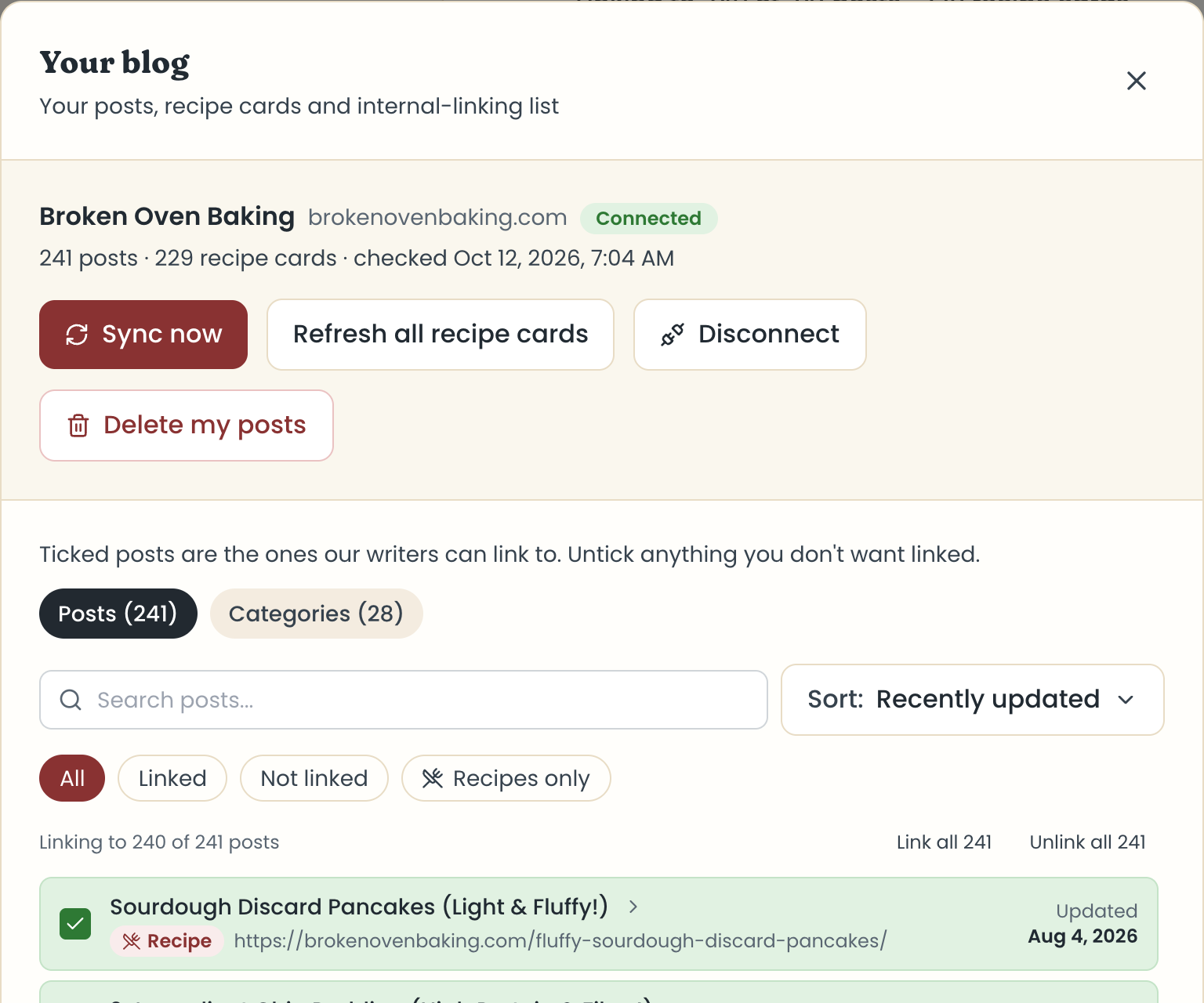
- Sync now checks for new and edited posts and downloads them.
- Continue downloading shows when some posts are still waiting to download.
- Refresh all recipe cards downloads every post again. Click Refresh everything to confirm. On a big blog it can take several minutes, so keep the tab open.
- Disconnect stops checking your blog. Your posts and linking list stay, and @ still works.
- Delete my posts removes your imported posts, recipe cards, and linking list from Food Blog Studio. Your blog isn't touched. Chats that already used a post keep it.
Note
Delete my posts can't be undone. If you only want to pause syncing, use Disconnect instead.
What if the page reloads during a sync?
It picks up where it stopped, and says "Picking up where your sync stopped." If Food Blog Studio is open in another tab, that tab says a sync is running elsewhere and checks again every 20 seconds.
When does a post leave my list?
Only when its own address says WordPress can't find it, it's private, or it's gone. A firewall or slow answer never removes a post. If more than half your posts seem to vanish at once, nothing is removed, in case it's a plugin or hosting problem.
Sync messages
- "A sync is running in another tab or on another device." Wait for it to finish, or close the other tab.
- "The last sync was interrupted." Click Sync now. Posts already saved stay.
- "Sync finished, but not everything came through." Your host or firewall paused it. Click Sync now again later.
- "A plugin on your site hides your posts from the WordPress feed." Your posts are kept. Email hello@foodblog.studio.
Last updated October 12, 2026
Up nextUse your sitemap insteadStill need help? Send us a message at hello@foodblog.studio